Phone
Learn how to find a business's address using Google Maps, data enrichment platforms, and more. Get accurate contact info for outreach.

Finding the right business address can feel like a treasure hunt sometimes, right? Whether you're trying to send mail, plan a visit, or just verify a location, knowing where a business is actually located is pretty important. It's not always as simple as a quick search, especially if you're dealing with smaller businesses or ones that don't have a huge online presence. We'll walk through some ways to track down that crucial bit of information.
Key Takeaways
- Using tools like Google Maps is a straightforward way to find a business's physical location and other details.
- Data enrichment platforms can help find business addresses, especially when combined with other identifying information like the business name.
- Verifying owner names and emails is important for accurate outreach, and some services offer triple-verification.
- Prioritizing direct owner contact information, like their email or mobile number, is often more effective than general business contact details.
- When reaching out, targeting specific job titles or using a waterfall approach for titles can increase the chances of connecting with the right person.
Finding Business Contact Information
Understanding the Core Job-to-Be-Done
When you're trying to reach out to businesses, especially local ones, the main goal is pretty straightforward: you need to connect with the person who can actually make a decision. It's not about sending an email to some generic info@ address and hoping it gets to the right person. You want to talk to the owner, or at least someone with the authority to say "yes" to whatever you're offering. Think about it – if you're selling a service to plumbers, you don't want to explain it to the receptionist; you want to talk to the owner who decides on new tools or services for their business. The real job is turning a simple Google Maps search into a list of actual people you can talk to, complete with their direct contact details. This means getting their name, their direct email, and maybe even their mobile number, so your outreach efforts actually have a shot at getting a response.
The Importance of Direct Owner Contact
Let's be honest, nobody likes dealing with gatekeepers. For local businesses, the owner is usually the one calling the shots. They're the ones who understand the day-to-day operations and have the final say on spending. Reaching them directly cuts through all the noise. Instead of your message getting lost in a general inbox or ignored by someone who doesn't have the power to act, you're putting it right in front of the decision-maker. This dramatically increases your chances of getting a positive response. It's about respecting their time and yours by going straight to the source. Finding these direct contacts can feel like a challenge, but it's where the real opportunities lie for effective outreach.
Replacing Manual Workflows with Automation
Manually searching for business contact information is a real grind. You might spend hours digging through websites, social media, and directories, only to come up with a bunch of dead ends or generic emails. It's tedious, time-consuming, and frankly, not a great use of your time. This is where automation comes in. Tools can now scrape Google Maps for businesses in specific areas and categories, then automatically enrich that data with owner names and direct emails. This whole process, from search to a usable CSV file, can often be done in just a few minutes. It frees you up to focus on what really matters: crafting your message and building relationships, rather than getting bogged down in data collection. It's about working smarter, not harder, and getting a much better result in the process.
Here's a quick look at how automation can streamline the process:
- Scrape Google Maps: Automatically pull lists of businesses based on category and location.
- Enrich Contact Info: Add verified owner names and direct email addresses to each business.
- Export and Send: Download a clean list ready to be imported into your outreach platform.
Automating the search and enrichment of business contact information is no longer a luxury; it's a necessity for anyone serious about effective outreach. The old way of doing things simply doesn't scale and leads to too many missed opportunities.
Strategies for Locating Business Addresses
Finding the right business address is step one in getting your outreach efforts off the ground. It sounds simple, right? Just look it up. But when you're dealing with a lot of businesses, especially local ones, it can get surprisingly tricky. You don't want to waste time on outdated or incorrect information. Luckily, there are some solid ways to track down those addresses.
Leveraging Google Maps for Business Data
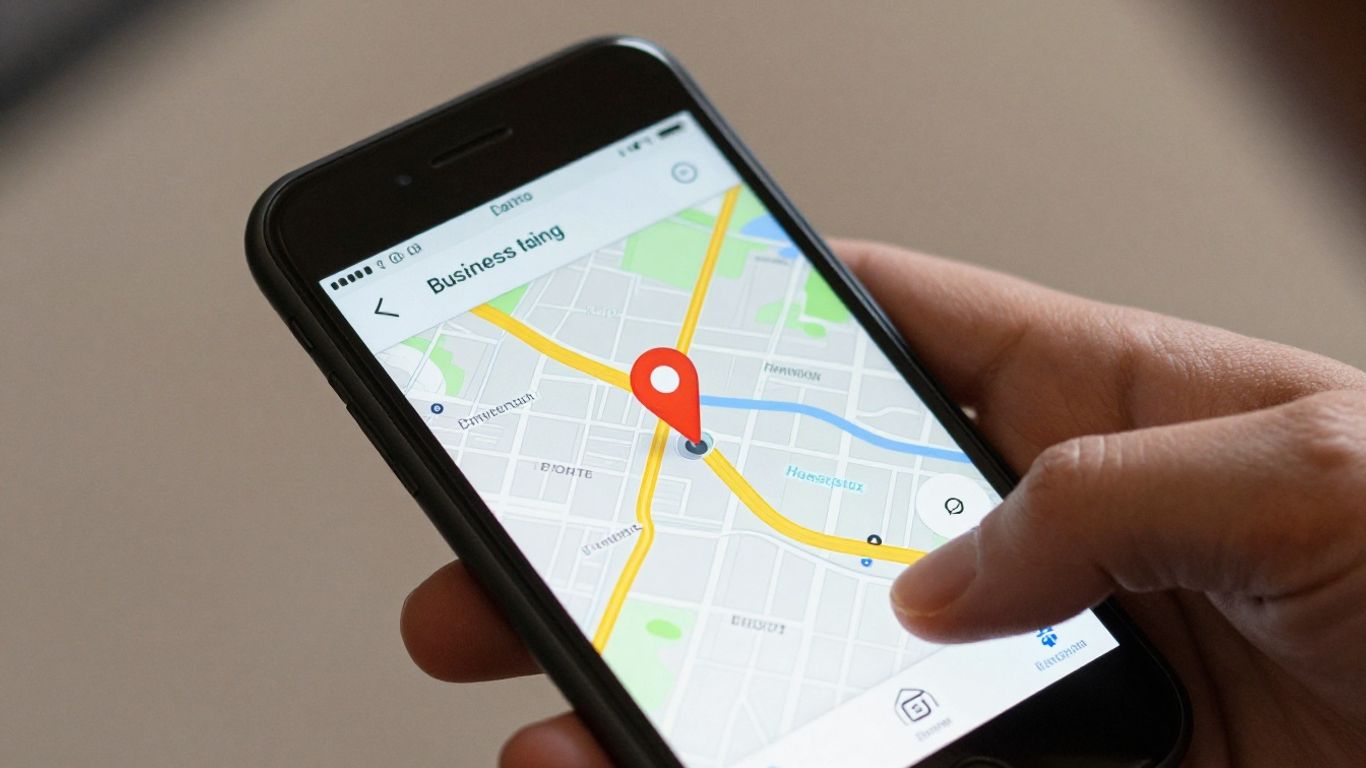
Google Maps is a goldmine for business information, and it's usually the first place people look. It's pretty straightforward to use for finding a specific business's location. You type in the name, and boom, there's the pin on the map. But it's more than just a map; it often includes the business's address right there in the listing. For a quick check on a single business, it's hard to beat. You can even use it to see the general area where businesses of a certain type are located, which can be helpful for planning. If you're just starting out or looking for a few businesses, this is a good starting point.
Utilizing Data Enrichment Platforms
When you need to find addresses for a larger number of businesses, relying solely on manual searches through Google Maps can become a real drag. This is where data enrichment platforms come into play. These services are designed to take a list of businesses you already have, maybe just names and websites, and then automatically add more details, including their physical addresses. Think of it like having a super-fast assistant who can look up hundreds or thousands of businesses way faster than you ever could. These platforms often pull data from multiple sources, so they can be more accurate and complete than just one method. It's a way to speed things up significantly and get a more robust dataset to work with. You can often find tools that help you search U.S. businesses quickly.
The Role of Business Name and Website in Searches
When you're trying to find a business's address, its name and website are your best friends. The business name is the most direct identifier. If you have the exact name, you can plug it into search engines or specialized databases. The website is also super useful. Most businesses, especially those you'd want to contact for outreach, will have a website. Often, the address is listed right on their 'Contact Us' page. Sometimes, it's in the footer of every page. If you're using a data enrichment tool, providing the business name and website is usually the key information they need to find the rest of the details, like the address. It's like giving them the best clues to solve the puzzle. If you need to update business information, you can often do so through your account summary homepage, selecting 'Registrations and account updates' and then 'Business change.' [0524]
Finding accurate business addresses is more than just a lookup task; it's about building a reliable foundation for your outreach. Using a combination of readily available tools like Google Maps and more advanced data enrichment services can save you a ton of time and prevent costly mistakes down the line. The key is to have a system that works for the scale of your needs, whether you're looking for one business or a thousand.
Data Enrichment and Verification Processes
So, you've got a list of businesses, maybe from a Google Maps search or somewhere else. That's a good start, but it's not enough to actually reach out, right? You need more details. This is where data enrichment and verification come into play. Think of it as taking that raw list and turning it into a usable contact database.
Triple-Verification for Email Accuracy
Getting an email address is one thing, but making sure it's actually valid and goes to the right person is another. We're talking about a process that goes beyond just a quick check. It often involves multiple layers of checks to confirm an email is deliverable and belongs to the intended recipient. This isn't just about avoiding bounces; it's about making sure your messages actually get seen by the people you want to talk to. A triple-verification process means the email has passed checks from at least three different sources or methods, significantly reducing the chance of it being invalid or a spam trap. This kind of rigorous checking is what separates a good contact list from a great one.
Understanding Fallback Modes for Coverage
Sometimes, you just can't find the direct email for the business owner. It happens. That's where fallback modes are super helpful. Instead of just giving up on that lead, a fallback mode will try to find an alternative. This could be a general company email, like 'info@company.com', or maybe an email for a different role within the company if you're targeting specific titles. It's all about maximizing your chances of making contact, even when the ideal contact isn't immediately available. It's a smart way to keep your outreach going without missing out on potential leads. You can find more about how this works with phone number enrichment.
The Value of Verified Owner Names
Knowing the owner's name is a big deal. It's not just a data point; it's the key to personalization. When you can address your email or call directly to the owner, it shows you've done your homework. This personal touch makes a huge difference in how your message is received. It cuts through the noise and makes your outreach feel more genuine. Verified owner names are a cornerstone of effective B2B outreach, helping to build trust and open doors that might otherwise remain shut. Using a data enrichment software can help you get these verified names.
The goal of data enrichment isn't just to fill in blanks. It's about transforming raw business listings into actionable intelligence. This means not only finding contact details but also ensuring those details are accurate and relevant, so your outreach efforts are focused and effective, rather than a shot in the dark.
Choosing the Right Contact Information
When you're reaching out to businesses, figuring out the best way to get in touch is key. It's not just about having any contact info, but the right contact info. Think about it: you wouldn't use a sledgehammer to crack a nut, right? Same idea here. Getting the right contact details means your message is more likely to land with the person who can actually do something about it.
Prioritizing Business Owner Emails
If you can get it, the business owner's direct email is usually gold. This is the person who calls the shots, the one with the final say. Sending an email directly to them, like dan@austinsomeplumbers.com, often gets a better response than a general info@ address. It shows you've done your homework and are serious about connecting with the decision-maker. Tools can help find these, and while they might cost a bit more, the payoff in terms of response rates can be huge. It's about quality over quantity, really.
When to Use General Business Emails
Okay, so sometimes you just can't track down the owner's direct email. That's where the general business email, like contact@yourcompany.com, comes in handy. It's not as direct, sure, but it's still a valid way to get your foot in the door. The trick here is to adjust your message a bit. Instead of addressing it to a specific person, you might say something like, "Dear Team," or "To the Owner," and ask that it be forwarded. This acknowledges you're using a general inbox and often works well enough to get your message seen by the right eyes. It's a good fallback when direct contact isn't possible.
The Role of Mobile Numbers in Outreach
Mobile numbers are another piece of the puzzle, especially if you're planning on making calls. Having the owner's direct mobile number can be super effective for warm calling. It bypasses receptionists and gets you straight to the person you want to talk to. However, it's worth noting that some people are more hesitant to share their personal mobile numbers, and using them might feel a bit more intrusive depending on your industry and approach. It's definitely a powerful tool, but use it wisely and consider if it fits your overall outreach strategy. For many, focusing on emails first and using mobiles as a secondary contact method makes the most sense.
Here's a quick look at what you might prioritize:
- Business Owner Direct Email: Highest priority for direct engagement.
- General Business Email: Good fallback when direct emails aren't available.
- Business Owner Mobile Number: Best for direct calls, use with consideration.
When you're choosing contact information, think about the path of least resistance for the person you're trying to reach. Making it easy for them to receive and respond to your message is always the goal. It's about respecting their time and making your outreach feel personal, not like just another piece of spam.
Getting the right contact details is a big part of making your outreach work. It's not just about finding a name and an email; it's about finding the best name and the best email to get a real conversation started. You can find tools that help with this, making the process much smoother than trying to do it all manually. For instance, platforms can help you select the ideal phone number for your business needs, which is a related but important consideration for your overall contact strategy.
Optimizing Your Outreach Campaigns
So you've got your list, you've got the contact info, and now it's time to actually reach out. This is where a lot of campaigns can go sideways if you're not careful. It's not just about sending emails; it's about sending the right emails to the right people at the right time. Let's break down how to make your outreach actually work.
Targeting Specific Job Titles
When you're looking for business contact information, you often have a choice about who you're trying to reach. For many local service businesses, like plumbers or electricians, the owner is usually the person you want to talk to. They're the ones who make the decisions, right? So, aiming for the 'Business Owner' role is often your best bet. It means your message lands directly with the person who can say 'yes'.
However, sometimes the owner isn't the best contact. Maybe you're selling something to property managers, and you need to reach the specific person handling that. In these cases, targeting a 'Specific Title' is the way to go. You'll need to know what that title is – maybe it's 'Clinic Administrator' for a dental office, or 'Operations Manager' for a small factory. Getting this right means your message is seen by someone who actually cares about what you're offering.
Implementing a Waterfall Approach for Titles
What if you're not sure who the best person is, or you want to cover your bases? That's where a 'Multiple Titles' or 'waterfall' approach comes in handy. You can set up a ranked list of job titles. The system will try to find the first title on your list. If it can't find a contact for that role, it'll move to the next one, and so on. This is super useful because it increases your chances of getting a contact, even if your top choice isn't available. It's like having a backup plan for your outreach.
For example, you might list 'Owner' first, then 'General Manager', then 'Office Manager'. This way, you're always trying to reach someone with authority, but you're not stuck if the owner's direct contact isn't found. It's a smart way to maximize your contactable leads without a lot of extra manual work. This kind of structured approach can really improve your campaign success, especially when you're dealing with a lot of different businesses.
Maximizing Contactable Leads
Ultimately, the goal is to get your message in front of the right eyes. This means having accurate contact information and a smart strategy for how you use it. When you're enriching your lists, make sure you're pulling the data that matters most for your outreach. For cold email, owner names and direct emails are usually top priorities. If you plan on making calls, then owner phone numbers become really important. Using a tool that can provide this data, like LocalPipe.io, can save you a ton of time and effort.
Remember, even with the best data, your outreach needs a human touch. Personalizing your message, even just by using the owner's name, makes a huge difference. Generic emails often get ignored. When you're reaching out, think about what the recipient actually cares about. What problem can you solve for them? Focusing on their needs, rather than just your product, is key to getting a positive response. This is also true for phone outreach; starting with permission and asking good questions is vital for effective calling campaigns.
Here's a quick look at how different contact types can be prioritized:
| Contact Type | Priority for Email Outreach | Priority for Phone Outreach |
|---|---|---|
| Direct Owner Email | High | Medium |
| General Business Email | Medium | Low |
| Direct Owner Mobile | Low | High |
| General Business Phone | Low | Medium |
By understanding these priorities, you can tailor your outreach strategy to get the best results, whether you're sending an email or picking up the phone.
Understanding Data Sourcing and Compliance
When you're looking for business contact information, it's not just about finding a name and an email. You've got to think about where that data comes from and if you're even allowed to use it. It sounds a bit boring, I know, but trust me, getting this wrong can cause a lot of headaches down the road.
Sources of Business Data
So, where does all this contact info actually come from? It's usually a mix of things. You've got publicly available records, like what you might find on government websites or business directories. Then there are third-party data vendors who specialize in collecting and selling this kind of information. Sometimes, it's also data that's been gathered from the open web, but you have to be careful with that. The key is knowing that the data isn't just magically appearing; it's sourced, processed, and sometimes licensed. For example, tools that help you find business owner details often pull from a variety of places, cross-referencing information to try and get you the most accurate results. It's a bit like putting together a puzzle, but with digital pieces.
Compliance with Anti-Spam Legislation
This is a big one. Laws like Canada's Anti-Spam Legislation (CASL) and the US CAN-SPAM Act are in place to stop unwanted emails and calls. Basically, you can't just blast out messages to everyone you find. You need to have a legitimate reason or, ideally, some form of consent before you start contacting businesses. This means understanding the rules about express and implied consent. If you're using a service to get contact details, they usually have terms of service that outline your responsibilities. You're the one who ultimately has to make sure your outreach efforts are legal. Ignoring these laws can lead to some pretty hefty fines, and nobody wants that. It's always better to be safe than sorry when it comes to data protection laws.
User Obligations for Input Data
It's not just about the data you get; it's also about the data you put in. If you're uploading lists of businesses to get them enriched, you need to make sure you obtained that original list legally. For instance, if you scraped a list from Google Maps, you should check Google's terms of service to ensure you're allowed to do that. You can't just take data however you want. You also need to have the right to share that data with a service provider for processing. Think of it like this: if you wouldn't want someone taking your personal information without asking, you shouldn't do the same to others. Being upfront and honest about your data sources and how you use it builds trust and keeps you on the right side of the law. This is a core part of responsible telemarketing lead generation.
Ultimately, understanding where your data comes from and how you're allowed to use it is just as important as the data itself. It's about building a sustainable and ethical outreach strategy that respects privacy and follows the rules. Getting this right means fewer problems and better results in the long run.
Wrapping Up
So, that's pretty much the rundown on phones. They've gone from being these clunky things that just made calls to basically mini-computers in our pockets. It's kind of wild when you think about it. We use them for everything now – work, staying in touch, entertainment, even finding out how to fix a bike, though that didn't go so well for me. It's safe to say they're a pretty big part of our lives, and it'll be interesting to see what happens next with them.
Frequently Asked Questions
How do I find contact information for businesses?
You can find business contact info using tools that search online, like Google Maps. Some services can also help by automatically finding and verifying emails and phone numbers for businesses you're looking for. It's like using a smart search engine that's specifically designed to find business details.
What's the best way to get a business owner's direct email?
The best way is to use a service that specializes in finding this information. These services often check multiple sources and verify the emails to make sure they're accurate. Some tools are really good at finding owner emails, sometimes with success rates as high as 60% to 90% when you give them the business name and website.
Why is direct owner contact important?
Reaching the actual owner is super important because they are the ones who can make decisions for the business. If you contact a general email like 'info@', your message might get lost or ignored. Talking directly to the owner means your message is more likely to be seen by the right person who can actually help you.
What does 'data enrichment' mean?
Data enrichment is like adding extra details to the information you already have. For example, if you have a business name, data enrichment can find its website, the owner's name, their email address, and even their phone number. It makes your contact list much more useful.
What is 'fallback mode' when looking for contact info?
Fallback mode is a smart setting that helps you get more contactable leads. If a service can't find the owner's direct email, it will automatically try to find the general business email (like 'info@') instead. This way, you're less likely to miss out on contacting a business just because one piece of information wasn't available.
Are there rules about sending emails to businesses?
Yes, there are rules like CAN-SPAM in the US and CASL in Canada. These laws are in place to prevent unwanted emails. You need to make sure you have permission or a good reason to contact businesses, and you should always follow the rules about how and when you send emails.